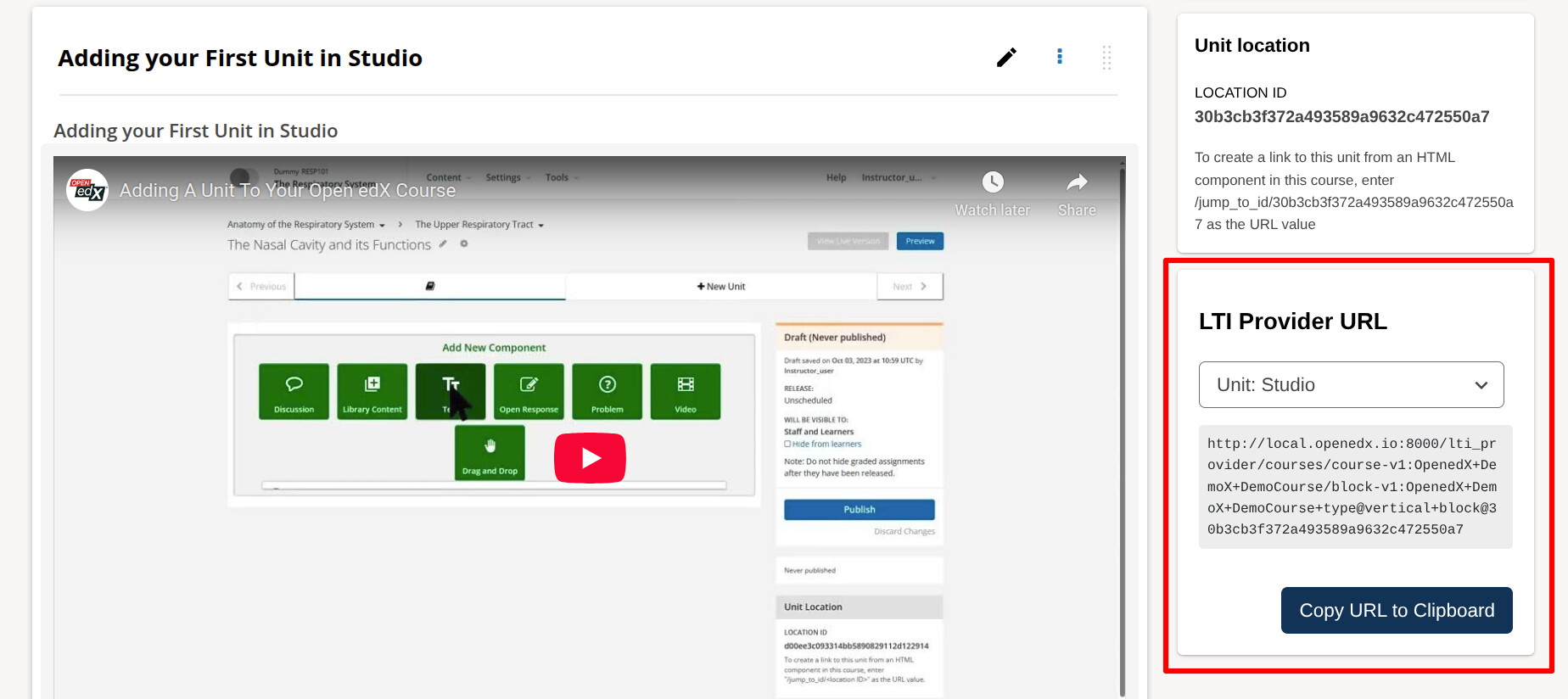
I recently had to dig into the LTI Provider and realized that getting links to content is not for the faint hearted. As I had to do this multiple times for different scenarios while testing different things, I decided to create a plugin that will make it easier.
It adds a sidebar component in the Unit page, that provides a quick copy button to get the LTI Provider URL for either the full Unit or individual components in the unit.
Looks like the tool is super useful for the edx-platform as an LTI Provider use-case. So if folks want to embed edx-platform content into their LTI Consumer it makes it easy to get the URL they need to do that.
I think if we put it in a collapesd sidebar widget by default it wouldn’t be too intrusive and provide information that authors want.
@arunmozhi Thank you for making this, it’s such a relief to now just grab the URL. I have spent so much time just digging the course_id etc to construct the LTI URL.
@feanil I’m not sure who would do this or if anyone has the time to do it. I think as a first step it’d be nice to include in the docs but I’m not sure where - @farhaanbukhsh or @arunmozhi any idea where it could be mentioned that would be helpful?
Determine Content Addresses when using Open edX as an LTI Provider - For educators. This is where the MITx convertor tool is linked. So mentioning it in this page looks relevant. However, unlike the MITx tool, it’s not something educators can readily use. They need to rely on the instance admins to set it up in their instance.
Configuring an edX Instance as an LTI Tool Provider - For site operators. We can mention the repo and configuration here. This can be linked to the educators page, so educators can then point their instance operators.
This will let the users know that a tool like this exists. To package it better, it needs to be converted into a tutor plugin so that site operators can easily install it in their instance. Till then, I feel it can be a good tool for developers.