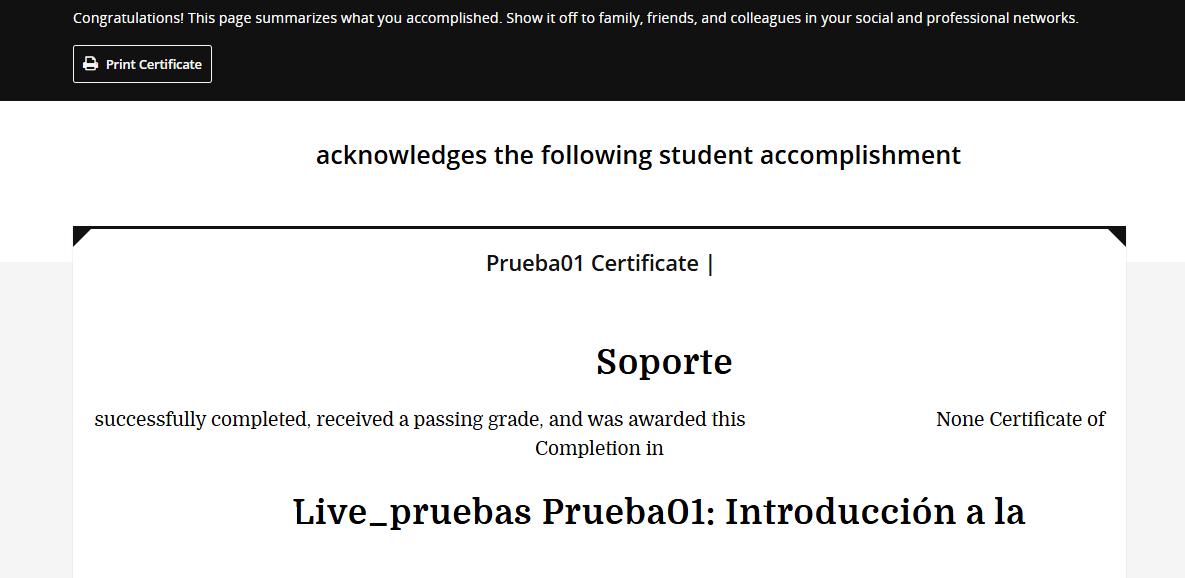
Help with customization of certificates in the Sumac version

Hello everyone, nice to greet you.

I would like you to help me with this issue in the Sumac version, since I cannot add custom templates to the certificates.

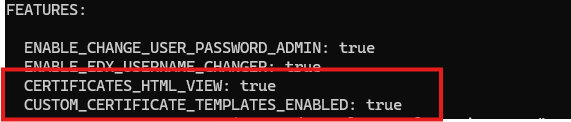
In my lms.env.yml file, I have already added the following:

FEATURES:
CERTIFICATES_HTML_VIEW: true
CUSTOM_CERTIFICATE_TEMPLATES_ENABLED: true

Also, in /admin I have already enabled the custom certificate with the course key, but nothing, I can’t manage to make the custom certificate appear. Could you please help me?

HI try

  1. Create the Tutor plugin file at:
    Creating a Tutor plugin — Tutor documentation docs tutor
    ~/.local/share/tutor-plugins/custom_certificate.yml

Add the following content:

name: custom_certificate
version: 0.1.0
patches:
  common-env-features: |
    CUSTOM_CERTIFICATE_TEMPLATES_ENABLED: true
    ORGANIZATIONS_APP: true
    CERTIFICATES_HTML_VIEW: true
  1. Enable the plugin:
    tutor plugins enable custom_certificate
    tutor config save
    tutor local restart

  2. Enable certificate mode for the course:
    Go to /admin/course_modes/coursemode/add
    Create a Course Mode with:

  • Mode: honor
  • Certificate enabled: ✓
  1. Create a custom certificate template:
    Go to /admin/certificates/certificatetemplate/add
    Create your template and assign it to the course.
    Do not forget to select the Organization that matches your course.

  2. Test:
    Enroll a test learner → complete the course → generate certificate.
    If configuration is correct, the custom template will be used.

work for me

Nothing, I added it just as you mentioned, but the certificate still uses the same one. Can it still be done in Sumac?

By default, Open edX grabs the template from here:

edx-platform/lms/static/templates/certificates/valid.html.

Just tweak that file, restart LMS (like tutor local stop lms && tutor local start lms -d), and boom, it should pick up your changes.

If you’re running a custom theme like Tutor Indigo, it’s better to override the template. Create the file in your theme’s template directory:

/templates/certificates/valid.html

For more details on Indigo theming, check out the repo: [GitHub - overhangio/tutor-indigo: An elegant, customizable theme for Open edX).

1 Like

if you use indigo theme
try
at location
/env/build/openedx/themes/indigo/lms/templates/
create folder certificates and file accomplishment-base.html ,valid.html

*backup you data before build

tutor images build openedx
tutor local start -d

100% sure, but these are the theme files I’m using and they work fine for me