Hi,
It looks like you need a way to provide verified-only course content, graded assignments in your case.
Open edX Studio allows you to define content groups (content you can assign to a group of enrolled users). Such groups are created automatically for each enrollment track / course mode defined for your course (honor, verified, …)
Official documentation page: 12.2. Offering Different Content to Different Learner Groups — Building and Running an Open edX Course documentation
You can view or create content groups under Studio > Your course > Settings > Group configurations menu
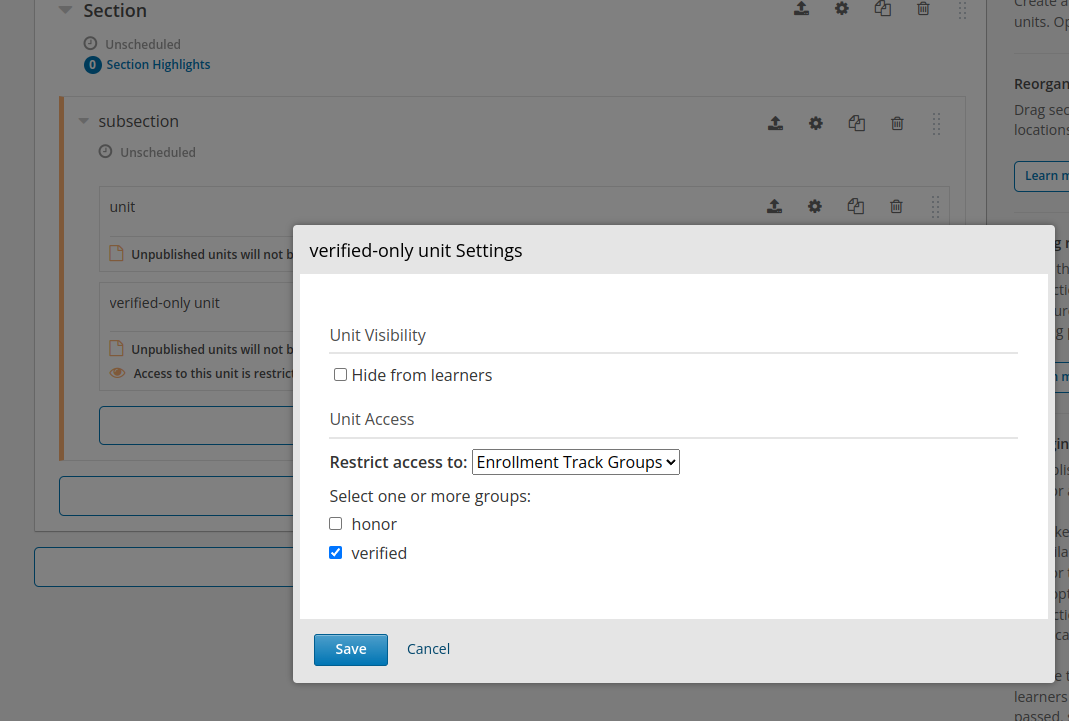
You can assign units to groups in Studio > Your course > Course Outline page:
- For verified-only course units, find the unit you wish to hide from non-verified learners in the course outline page.
- For verified-only components (assignments mixed with free content in the same unit for example), open the unit editor and look for the components you wish to hide from non-verified learners.
- Click on the settings (
 cog icon)
 - Under Restrict access to choose Enrollment Track Groups. A checklist should appear with all available enrollment track groups.
- Check the verified group then save the settings.
Screenshot of unit settings in the course outline
Screenshot of component settings in the unit view
